Examples
Each recipe shows one Aiython behavior. Copy a program into a .py file, run aiython setup, then inspect and run it:
--explain needs no model or API key. Running the program can call your configured provider and incur charges. If you installed Aiython in a uv project, prefix these commands with uv run.
Typed result
A TypedDict and Literal constrain an AI result. Aiython checks the value before assigning it to draft.
"""Return a structured value whose fields are checked at runtime."""
from typing import Literal, TypedDict


class Draft(TypedDict):
    priority: Literal["low", "normal", "urgent"]
    reply: str


message = "I cannot sign in and my presentation starts in 20 minutes."

draft: Draft = read message and choose a priority and draft a reply for the customer

print(draft["priority"])
print(draft["reply"])
Update state
An AI statement changes existing Python objects.
"""A standalone AI statement can update objects in the live Python frame."""
tasks = [
    {"id": 1, "note": "The release notes are complete", "done": False},
    {"id": 2, "note": "The security review is still pending", "done": False},
]
original_tasks = tasks

review each note in tasks and set done to True only for completed tasks

assert tasks is original_tasks
print(tasks)
Python loop
Python routes tickets in a loop; AI summarizes once afterward.
"""Python routes each ticket; AI summarizes the completed queues once."""
from typing import Literal


tickets = [
    "After uploading a PDF, the ticket page freezes until I refresh the browser.",
    "Could you email last month's invoice and update the billing contact for our team?",
]
queues = {"bug": [], "billing": []}

for ticket in tickets:
    kind: Literal["bug", "billing"] = classify this ticket
    queues[kind].append(ticket)

summary = summarize the routed tickets in one sentence
print(queues, summary)
Recovery
A valid Python statement fails and reaches a recovery checkpoint. Its AI work begins only when the KeyError occurs.
record = {"display_name": "Mali", "email": "mali@example.com"}

label: str = record["name"].title()

print(label)
Existing object
AI selects a live dataclass instance. The identity check confirms that the returned object was not copied.
"""Return an existing Python object, preserving its identity."""
from dataclasses import dataclass


@dataclass
class Guide:
    title: str
    description: str


guides = [
    Guide("Reset a password", "Recover access to an existing account"),
    Guide("Export reports", "Download analytics as CSV files"),
    Guide("Invite a teammate", "Add another person to a workspace"),
]
question = "How do I download my analytics?"

selected: Guide = choose the Guide in guides that best answers question and return that same object

assert any(selected is guide for guide in guides)
print(selected.title)
Python first
Python computes Fibonacci; AI explains the result afterward.
def fibonacci(n: int) -> int:
    a, b = 0, 1
    for _ in range(n):
        a, b = b, a + b
    return a


numbers = [fibonacci(i) for i in range(11)]
assert numbers[-1] == 55


explanation: str = explain the pattern in numbers in English

print(numbers)
print(explanation)
AI-generated values can vary between runs. Read how the runtime works for the execution boundary and type safety for result checks.
Documents and media
Capability programs need matching routes in your configuration. See the capability guide before running them. Save each script and its assets in the same directory.
Document understanding
Save this program as documents.py:
from pathlib import Path

documents = [str(Path(__file__).resolve().parent / "policy.md")]
question = "How many days does a customer have to request a refund, and what information is required?"

# aiython: prompt="Search only the supplied documents; cite the file and location of each relevant passage"
answer: str = answer question using these documents
print(answer)
Save this sample policy as policy.md beside it:
# Northstar Outfitters refund policy

## Request window and required information

Customers may request a refund within 30 days of the purchase date. To start a
request, provide the order number and the email address used at checkout. A short
description of the issue helps our support team, but is not required.

## Eligibility and processing

Shoes and boots must be unworn outdoors and returned with their original packaging.
If an item arrived damaged or incorrect, contact support with a photo so the team
can review it before the return is shipped. Final-sale items are excluded unless
they arrived damaged or incorrect.

After the return is received and inspected, an approved refund is issued to the
original payment method within five business days. The payment provider may take
additional time to display the credit. Shipping charges are refunded only when
the item was damaged or incorrect.
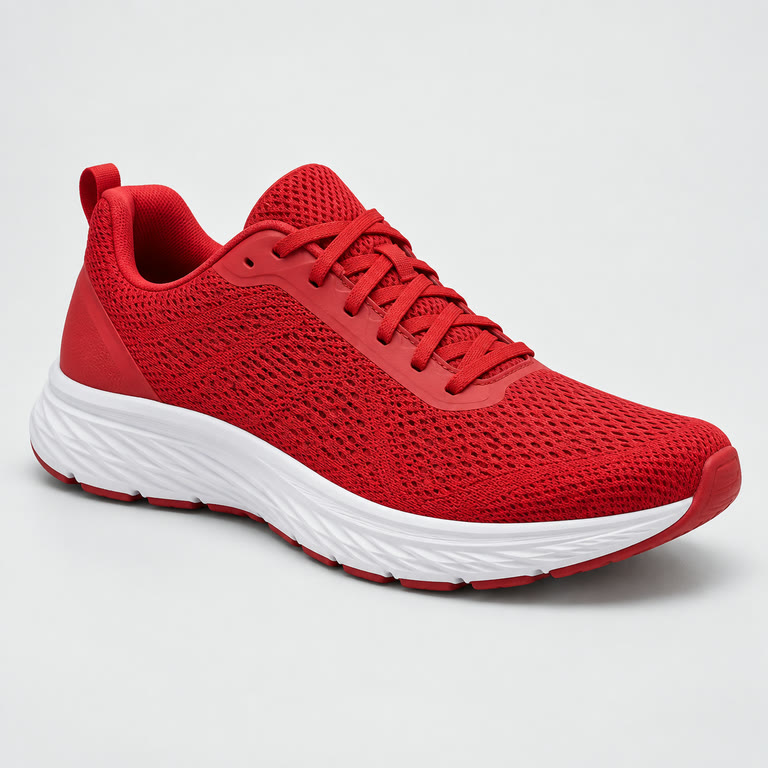
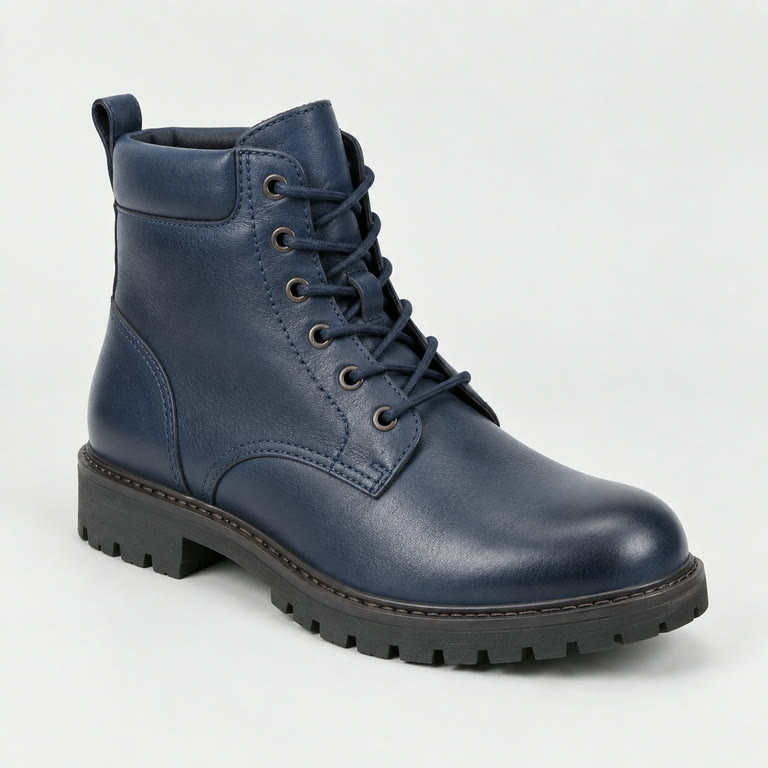
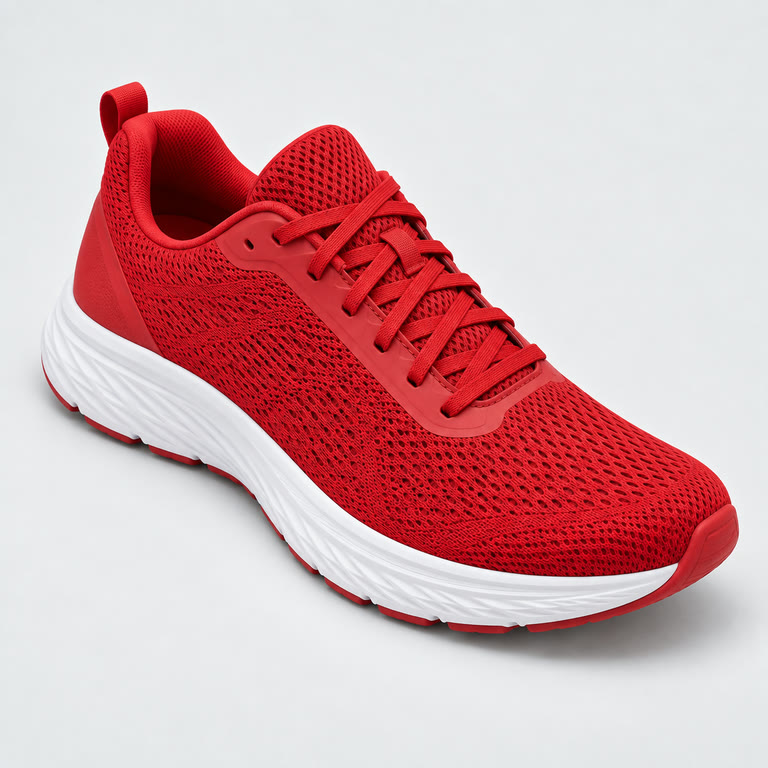
Image matching
Save this program as products.py:
from dataclasses import dataclass
from pathlib import Path

ASSETS = Path(__file__).resolve().parent

@dataclass
class Product:
    name: str
    image_path: str

products = [Product("Red shoe", str(ASSETS / "red-shoe.jpg")), Product("Blue boot", str(ASSETS / "blue-boot.jpg"))]
# A second camera angle of the catalog's red running shoe.
query_image_path = str(ASSETS / "shoe.jpg")

results: list[Product] = compare the image files in products with query_image_path and return the original best matching Product in a one-item list
assert all(any(item is original for original in products) for item in results)
print([item.name for item in results])
Download red-shoe.jpg, blue-boot.jpg, and shoe.jpg beside it. These are fictional, unbranded product images.
Media and video
The larger media program combines speech, vision, image, and video capabilities:
# The sample audio, image, and video are bundled beside this script.
# Running the full example requires version 3 routes for speech_to_text,
# text_to_speech, vision, image_generation, image_editing, and video.
# See aiython.toml.example for the required profile structure.
from pathlib import Path

ASSETS = Path(__file__).resolve().parent
meeting = str(ASSETS / "meeting.mp3")
shoe = str(ASSETS / "shoe.jpg")
clip = str(ASSETS / "clip.mp4")

transcript: str = transcribe meeting in its original language
summary: str = summarize transcript in English
speech = speak summary aloud
analysis: str = describe what is visible in shoe
banner = create a shoe banner from analysis
edited = edit shoe to have a white background
video_summary: str = summarize the events visible in clip
video = create a short promotional shoe video from analysis

print(transcript, summary, video_summary)
print(speech.path, banner.path, edited.path, video.path)
For this program, also download meeting.mp3, clip.mp4, and the three product images above. The sample transcript lets you check the speech result. The smaller video-only program shows a resumable generation job:
"""Generate one video with the configured video generation route."""

video = create a short video of a red running shoe rotating against a clean white background
print(video.path)
Media generation can take longer and incur charges. Run aiython --explain PATH first to inspect the boundary without making a provider call.